
Floor Scrubber Brush Not Spinning? Complete Diagnostic Guide
Brush motor won't start or makes grinding noise? Diagnose belt drive, electrical, and deck clearance issues.
In This Guide
Symptom: Brush Deck Motor Not Engaging
The brush motor spins the main disc brush or roller brush that scrubs the floor. When it fails to engage, the machine moves but doesn't actually clean. Common causes range from simple operator errors to motor failure. Work through these steps in order — most fixes are quick and don't require a technician.
Step 1: Check the Brush Engage Lever / Button
On walk-behind machines, the brush motor typically activates via a lever on the control handle. On ride-on models, it's a pedal or dashboard switch. Verify the mechanical linkage is intact — a disconnected cable or broken switch will prevent motor activation even if the electronics are fine.
- Walk-behind: check the squeeze lever is fully engaged and returns smoothly
- Ride-on: check the foot pedal switch is not stuck or obstructed
- Listen: when you engage the brush, you should hear a 'click' (relay) even if the motor doesn't spin
Step 2: Check Brush Deck Clearance
If the brush is pressed too hard against the floor or caught on an obstacle, the motor's overload protection will cut power to prevent damage. Raise the brush deck using the lift pedal/lever and try again. Inspect the area around the brush for debris, tangled string, or plastic wrap that may be binding the brush.
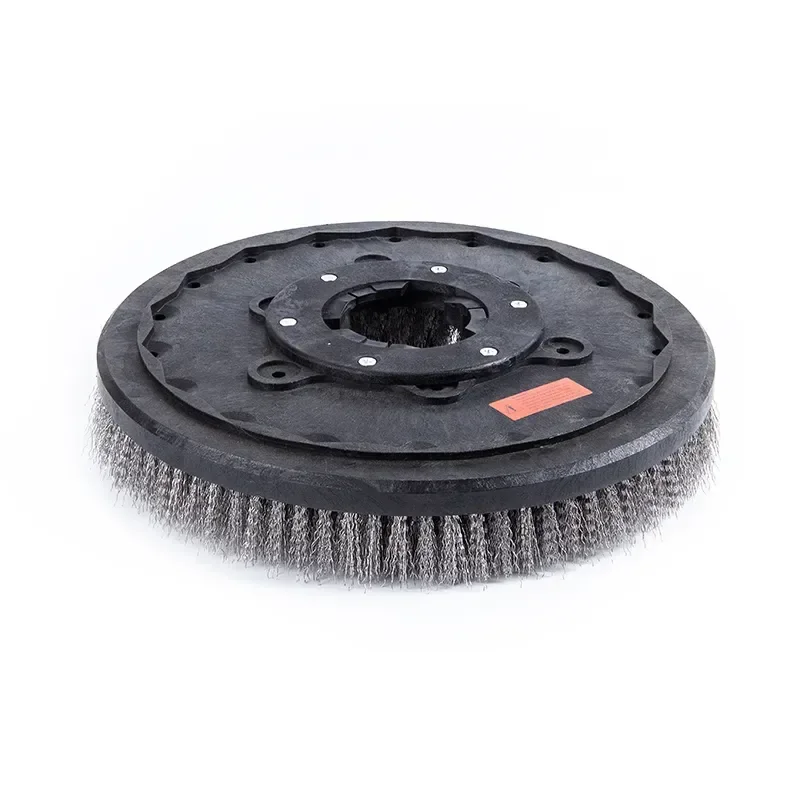
- Remove the brush/pad driver and check for foreign objects wrapped around the drive hub
- Check that the brush or pad driver is properly seated and centered
- Try spinning the brush by hand — it should rotate freely with slight resistance
Step 3: Inspect the Drive Belt (Belt-Drive Machines)
Many scrubbers use a belt to transfer power from the motor to the brush deck. A broken, loose, or slipped belt is the most common mechanical failure. Access the belt cover (usually on top of the brush deck), remove it, and check belt condition.
- Broken belt: replace with identical OEM specification (length and tooth count)
- Loose belt: tighten using the tensioner adjustment — belt should deflect about 10mm when pressed
- Worn belt: if glazed, cracked, or missing teeth — replace immediately
Step 4: Check the Motor Overload / Circuit Breaker
If the motor hums but doesn't spin, or stops suddenly during operation, the thermal overload protector may have tripped. This is a safety feature, not a defect. Allow the motor to cool for 10-15 minutes and try again. If it trips repeatedly with no obvious cause, the motor may be drawing excessive current due to worn bearings or an electrical fault.
- Locate the circuit breaker or overload reset button — typically on the control panel
- Press to reset — a firm click confirms reset
- If it trips immediately: disconnect power and check for shorted wiring or seized motor bearings
Related Guides
Browse Machines by Type
Ready to Get Factory-Direct Pricing?
Get a quote within 24 hours. No middlemen — buy direct from the manufacturer and save 30-50%.
About the Author
Mark Wang is Sales Director at Aikerui with 15+ years of experience in industrial floor cleaning equipment. He has helped 2,000+ facilities across 50+ countries source factory-direct cleaning equipment.
About Aikerui
Aikerui is an industrial cleaning equipment manufacturer founded in 2008, operating its own 10,000+ square meter production facility in Anqing, Anhui, China. It manufactures floor scrubbers, sweepers and replacement parts, holds CE and ISO 9001 certification, and exports to 50+ countries. Every guide on this site is written by the manufacturer's own team — not a third-party agency.